The Camera Access Game Changer
Crafting a custom design solution to increase monthly deposits by millions.
Background
Uncovering the Financial Impact of Camera Access Drop-offs in Mobile Check Deposits
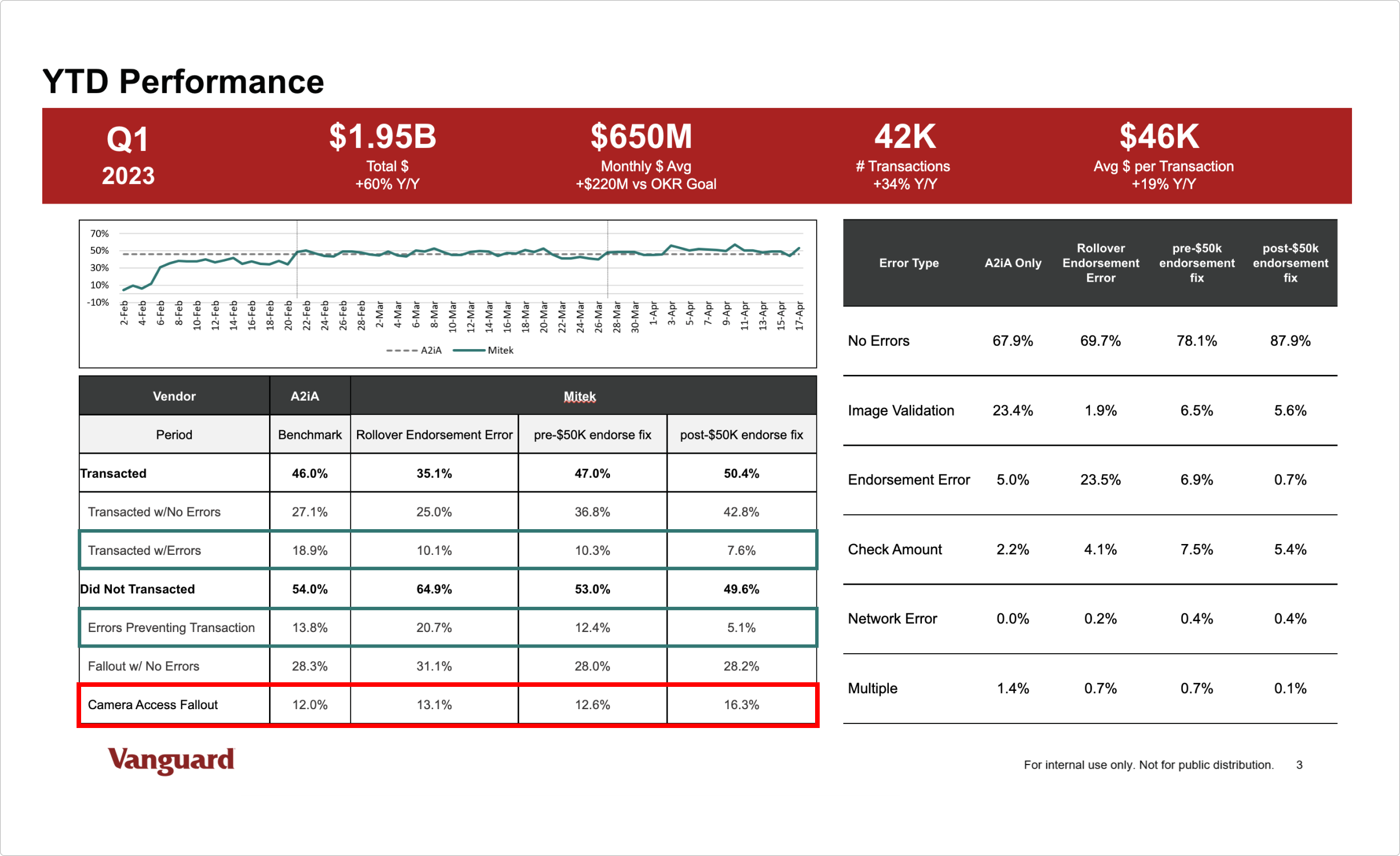
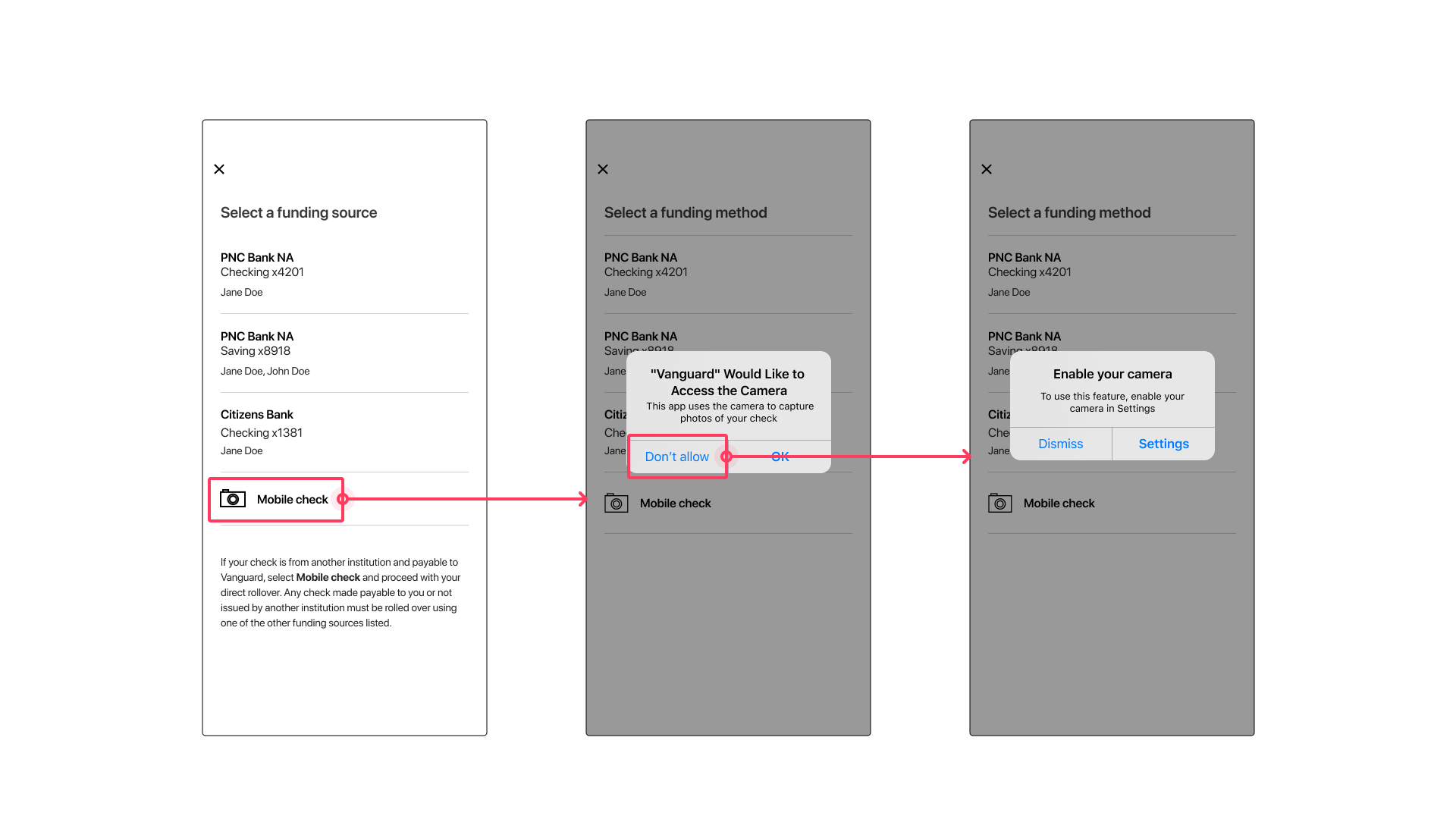
During one of our regular weekly data analytics meetings (post-migration) we could see that the users were falling out of the flow at the “Camera Access” dialog at a rate of 12-16%.
That number wasn’t much higher than it had been previously, nor did it seem like an egregious amount to the more senior team members present, but after looking at our average check deposit amount and doing some relatively straightforward math I realized that 12-16% was essentially a loss of about $84M-$128M per month in mobile check deposits.
Put another way, for every 1% we might improve the camera access flow (where users were granting camera access and completing their task) we might expect an increase of $7M-$8M in monthly deposits.
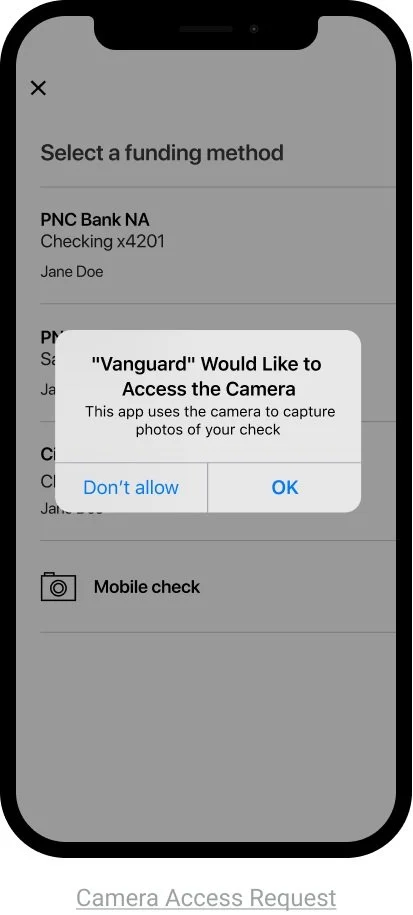
Mobile check deposit: Camera Access
Hypothesis
My hypothesis was nothing earth-shatteringly insightful, but i thought if we can identify this segment of users (POIDs) who express hesitancy or unwillingness to grant camera access in the mobile check deposit flow, then we can reach out to them in an attempt to better understand their concerns and/or reluctance and thus have an opportunity to enhance the overall task completion rate (specifically, deposits) by addressing said concerns raised by this user group.
Research
Unpacking User Concerns About Camera Access
After reaching out to this specific user segment (POIDs), the research team received 30 out of 1900 user responses to their survey*.
TLDR: Respondents were vocally concerned about the app’s (or 3rd parties) access to photos and when app has camera access.
The top reasons that may prevent respondents from allowing the app to access their camera align to the things they want to be informed about, namely access to photos and how and when the camera will be used.
Core User Pain Points & Needs
Privacy
Users want to know if granting camera access also grants access to their photo library. This appears to be a dealbreaker.
Security
Users want to know the purpose of the camera access, the specifics of the access including how long the app will have access when granted.
Trust
Users want assurances that we are not sharing their photos nor data with 3rd parties for any reason.
Permission Priming Research: Optimizing System Access Requests
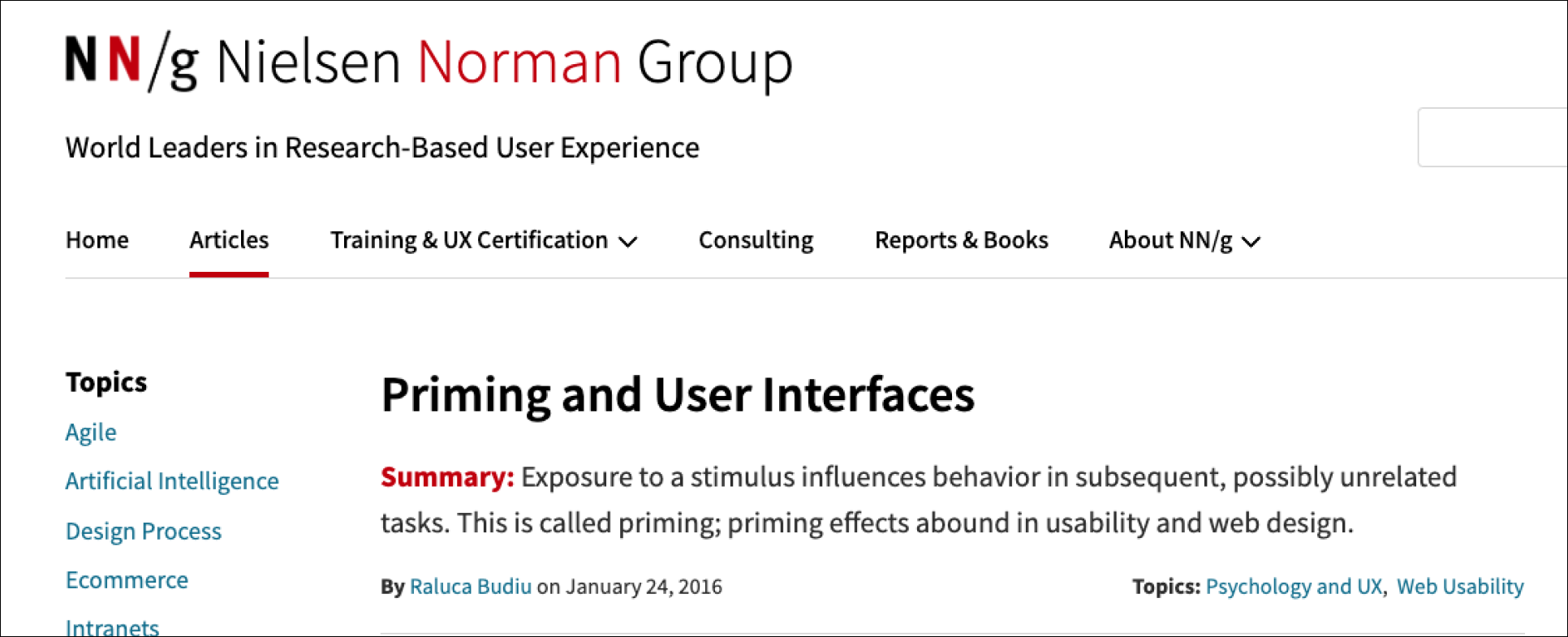
A short deep dive into research that’s been performed around optimizing patterns like this revealed that “permission priming” has not only been extensively studied in cognitive and social psychology (source) and preparing or “priming” users before you ask for permission to access their iOS system makes it more likely they’ll comply with your request (source).
Designs
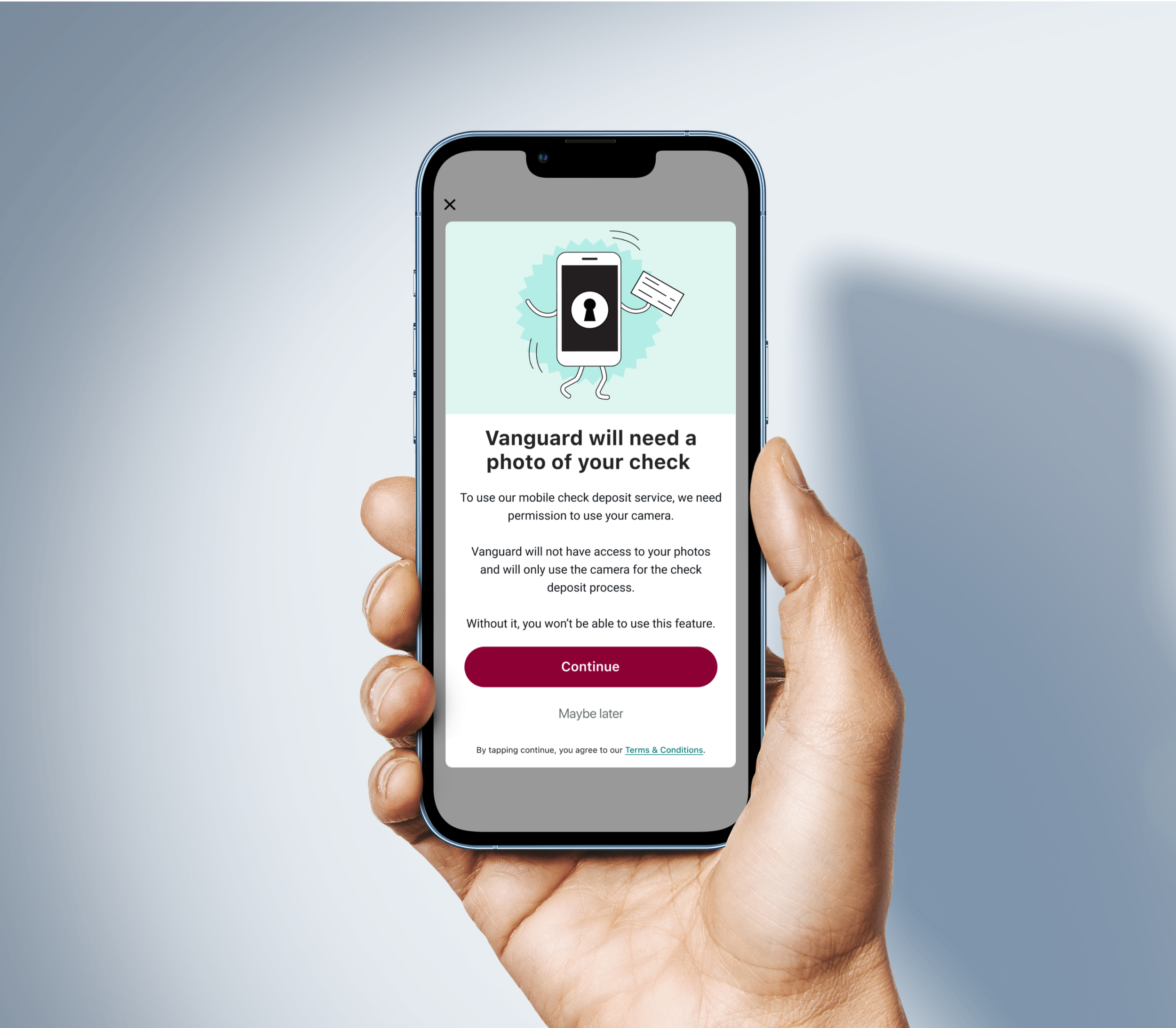
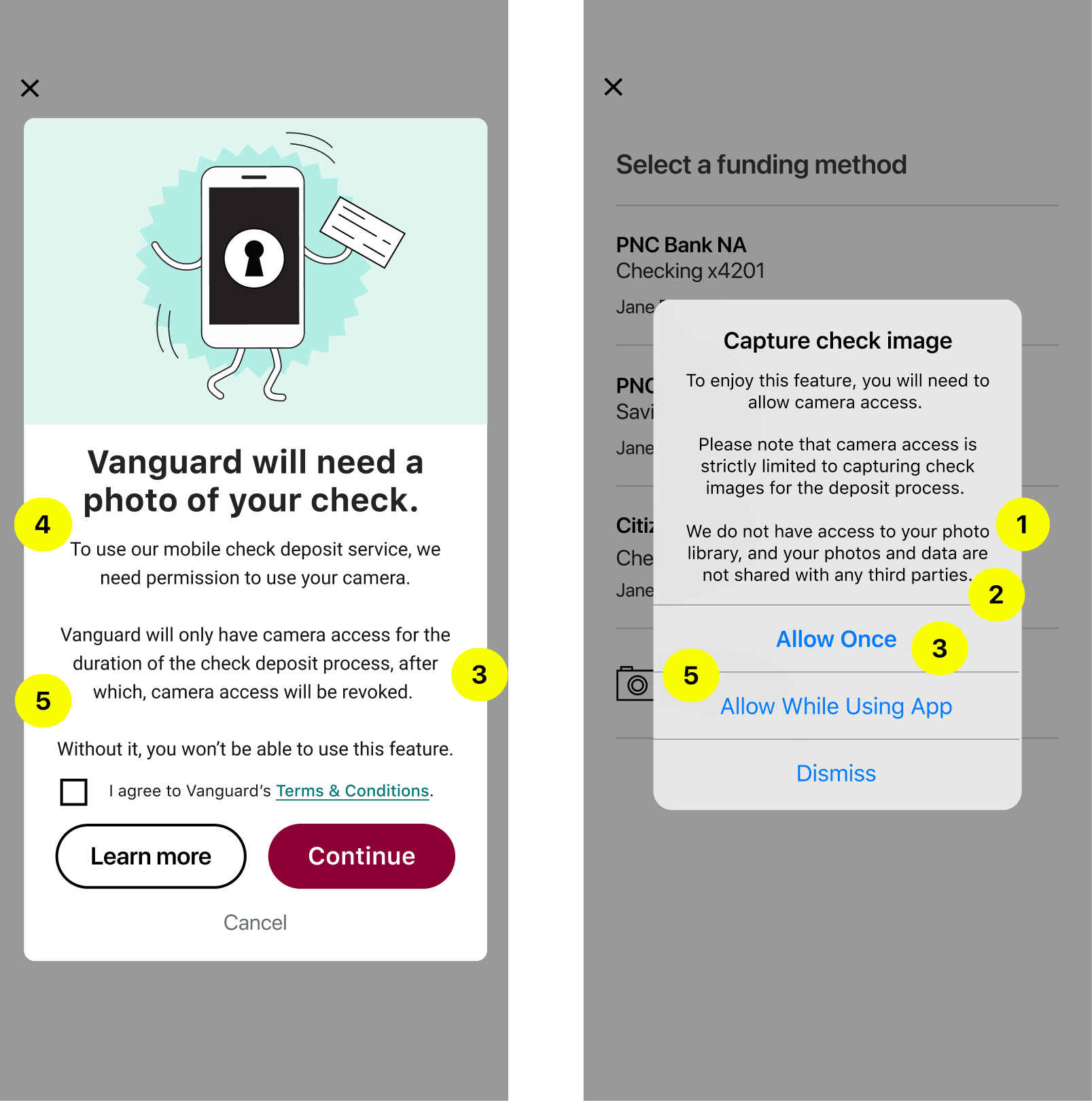
Based on the feedback from our POIDs, it was very clear that the new camera access modal should be explicit about what access entails. Based on follow up survey responses, the design and content of the new camera access module should make clear:
If allowing camera access allows access to photos
If allowing camera access allows the app to share photos with 3rd parties
For how long the app will have camera access
For what purpose the app will have camera access
When and what instances the app will access the camera
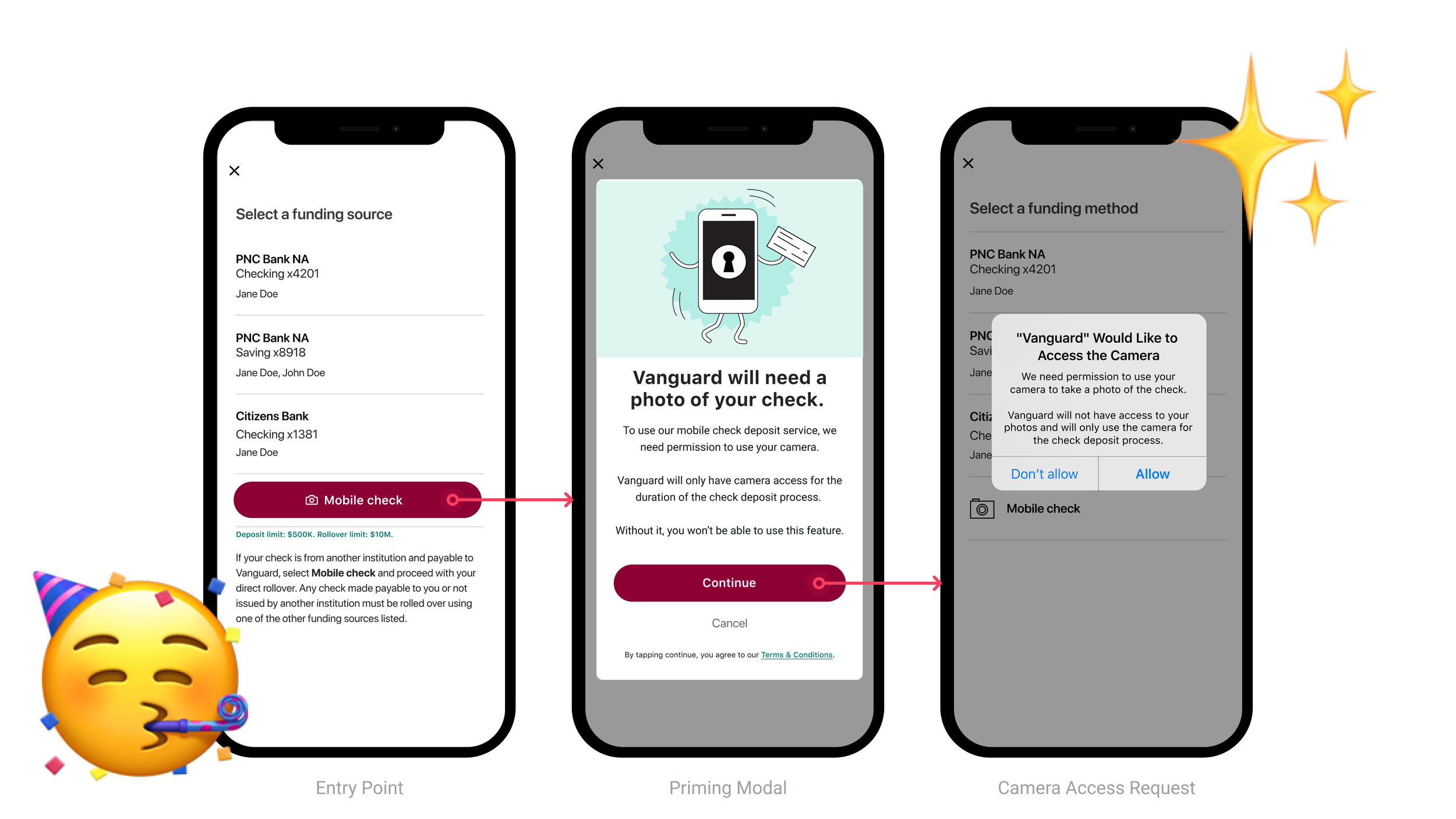
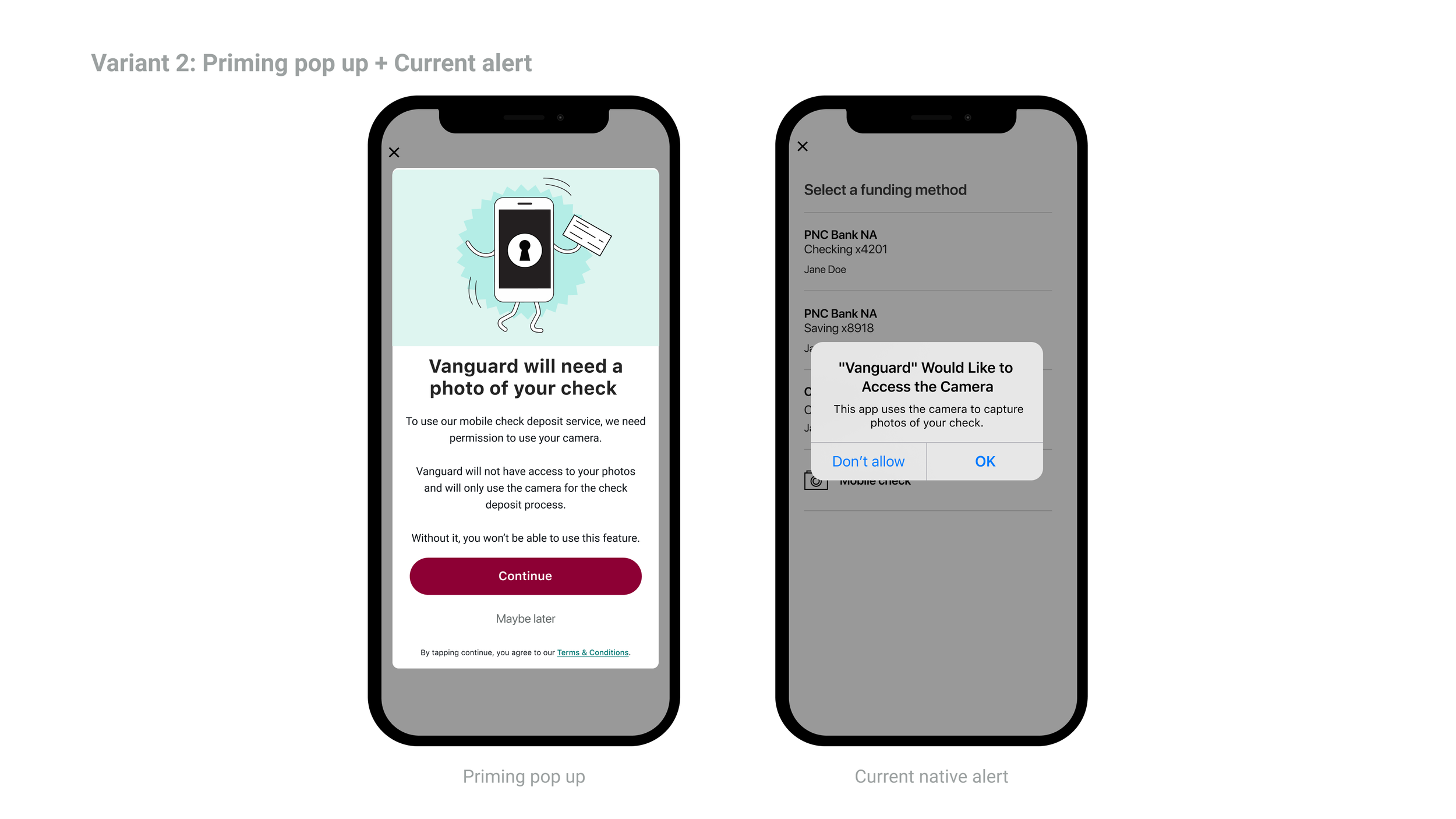
we redesigned both the UI and the content of the camera access flow to directly address concerns whilst leveraging our newfound knowledge on the power of permission priming (in this case, a custom modal before the ask).
🔧 Tech Limits and Constraints
A couple tech restraints and limitations came up along the way and should be mentioned:
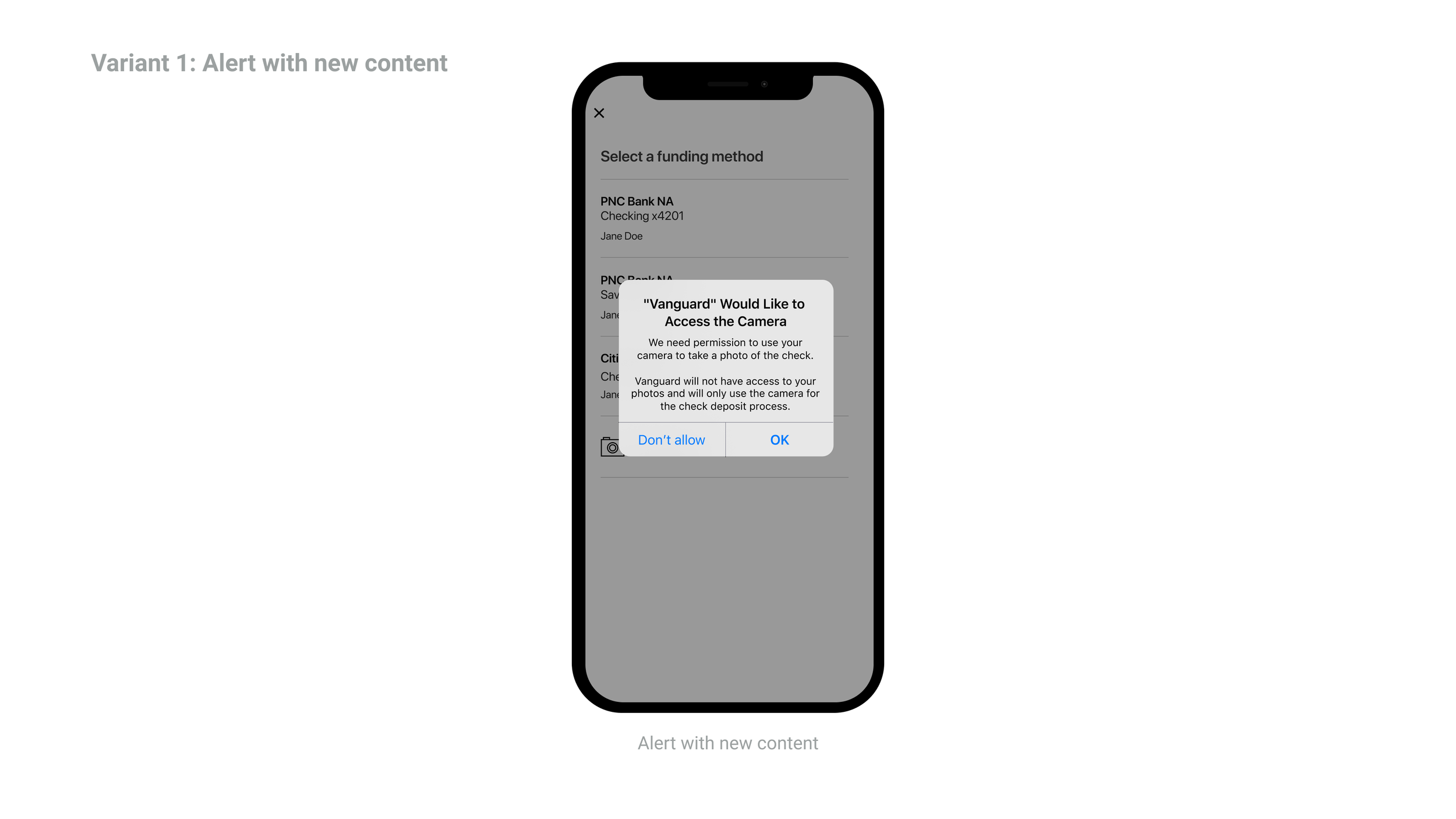
On iOS, we do not have the ability to change the content of the native alert title nor the buttons
Do to bandwidth limitations with our Android side, we would only be able to run experimentation on iOS
Final Design Direction
Testing
Concept Testing with POIDs
We had POIDS take a look at the new design flow and while 73% said they felt comfortable allowing VG access with the current native modal (completely contrary to their behavior), 77% said they feel comfortable allowing access with the redesigned custom modal. This is technically a 77% improvement, but more realistically a 4% improvement.
Mobile’s First “Experiment” 🧪✨
A big annual OKR for the mobile teams was to increase the utilization of the data analytics team to make sure we were making “data driven decisions” as best practice. As such, we decided that this was a good opportunity to run Mobile’s very first experiment*.
*The ability for the mobile teams to do experiments was just being rolled out and this looked like a good candidate to be the first.
Experiment Variants
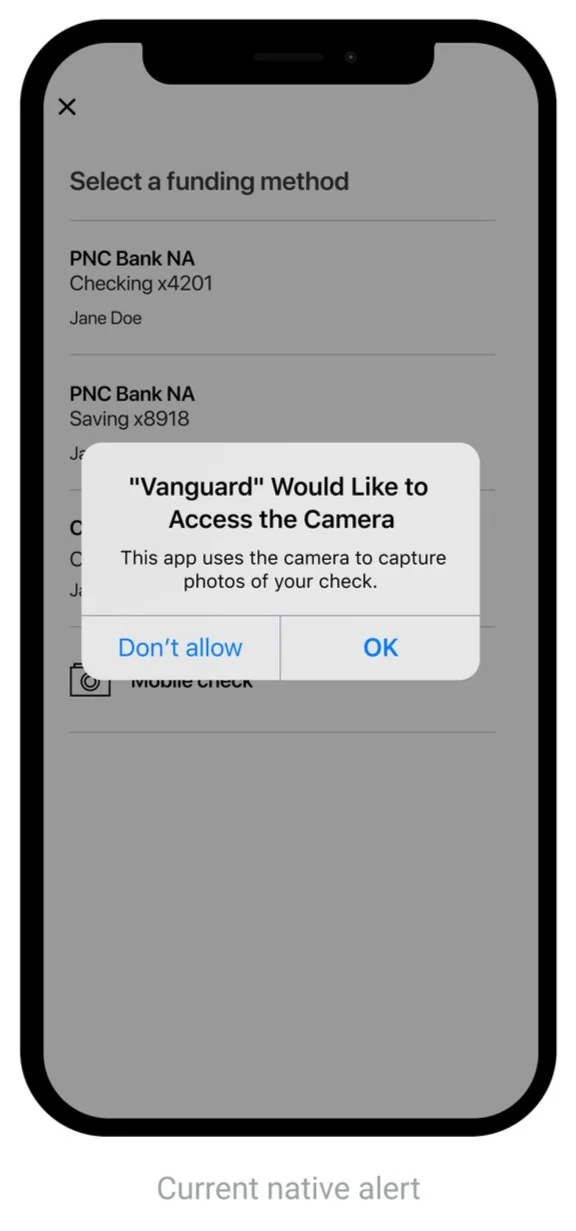
Experiment testing variants to be tested with users:
Control (current native dialog)
Native dialog with new content
Priming modal + Control (current native alert)
Priming modal + new content

Results
This is where I’d be excited to share with you that we’ve exceeded our conservative 4% improvement and that the result of this redesign has increased our mobile check deposits by over $30M per month.
However, at the time of writing this we have not completed the experiment so I cannot share the final results.
One amazing thing I can share that has happened in the midst of experimentation that I can share is that we did just surpass $1B in monthly check deposits for the first time in Mobile’s history here at Vanguard 🤩 so I am confident that when our amazing Data Analytics team gives us our final numbers, we will have exceeded expectations.